v0.13: A Simpler First Run
Setting Remember This up used to be six screens that told you what they needed one at a time, so you never knew how much was left. It's four screens now, and the first one you touch tells you the whole list before you start.
Everything it needs, on one screen
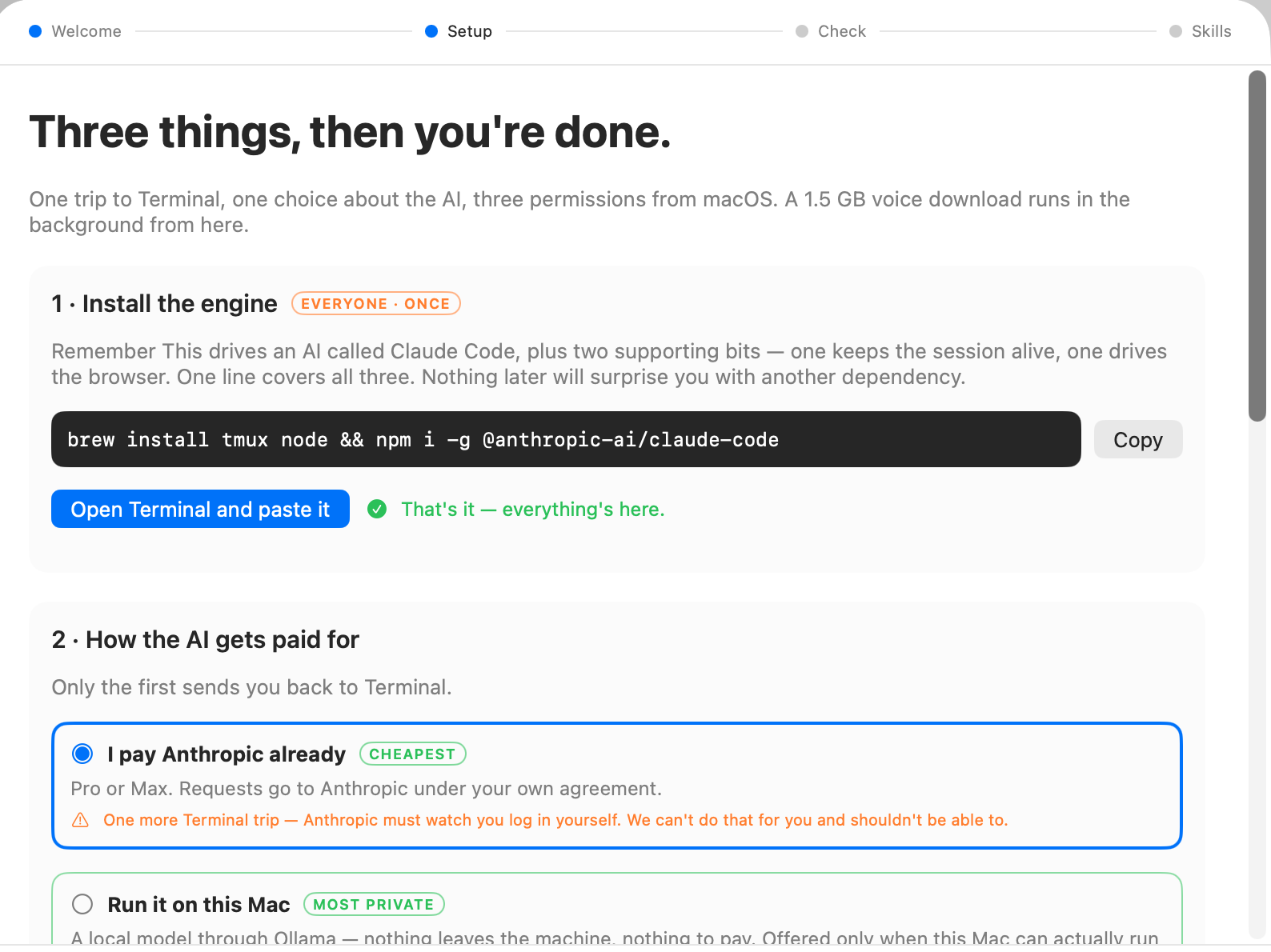
One trip to Terminal, one choice about the AI, three permissions from macOS, and a voice download that runs in the background while you carry on. That's the whole of it, said in one sentence before you agree to any of it, and everything below it is those same items in that order.
The Terminal trip is one line you can copy, covering everything at once rather than three separate discoveries spread across the flow. The app watches for it landing and ticks itself off when it does, so there's no guessing whether it worked. The choice about the AI is the one real decision, and the old setup never actually asked it, which meant everybody ended up taking the long way round: you can point it at an Anthropic subscription you already pay for, or run a model locally on your Mac so nothing leaves the machine, and the local option only shows up if your Mac can genuinely handle it.
Then the permissions, and each one now explains itself before macOS puts its dialog up. A bare permission prompt with no reason attached is the one thing people say no to, and saying no here goes wrong weeks later in ways nobody connects back to a dialog they dismissed. The one that needs the app to relaunch tells you so at the moment you meet it.
The checks at the end run themselves
The last screen proves the setup works before you trust it with anything. It used to be a row of cards you pressed one at a time in whatever order occurred to you, which meant a failure often pointed at the wrong thing. They run in sequence now, each one after whatever it depends on, so the card that goes red is the thing that's actually wrong.
Two still wait for you on purpose: the speaking test, because hearing your own voice come back is worth doing with your own finger, and the photo captioning test, because it pulls down a large model, and starting a download like that because somebody happened to land on a screen is what the rest of this work was meant to stop.
Underneath
Most of the rest of this release is groundwork you won't see directly. The app opens without waiting for its background helper to finish catching up, so a big library no longer means a window that sits there looking stuck. The voice model download survives your connection dropping instead of starting over. Notes syncing to your phone are more reliable, particularly if you keep more than one vault open. And the updater now checks a signature we'd been publishing for months and never reading, which changes nothing you can feel and closes a gap that would have mattered eventually.
One piece of it you can turn on today, if you're on Apple Silicon running macOS 26: Settings has a new Apple transcription (beta) option that uses Apple's own on-device speech engine instead of Whisper, and on long recordings it runs about twice as fast and needs no model download at all. It's off by default. Whisper is still more accurate on tricky proper nouns, and there's no Swedish or Finnish coverage yet, so the app falls back to Whisper for anything the new engine can't take, which is what makes it safe to leave switched on.
Getting people to a working app quickly, and transcribing without a download first, are most of what the next few releases build on.
What's next
The iPhone companion is where the attention goes next, and specifically the places where your Mac and your phone can quietly disagree about what you've already answered. If you hit anything before then, Settings → Bug report sends it over with the log attached.