v0.15: Your Life Story
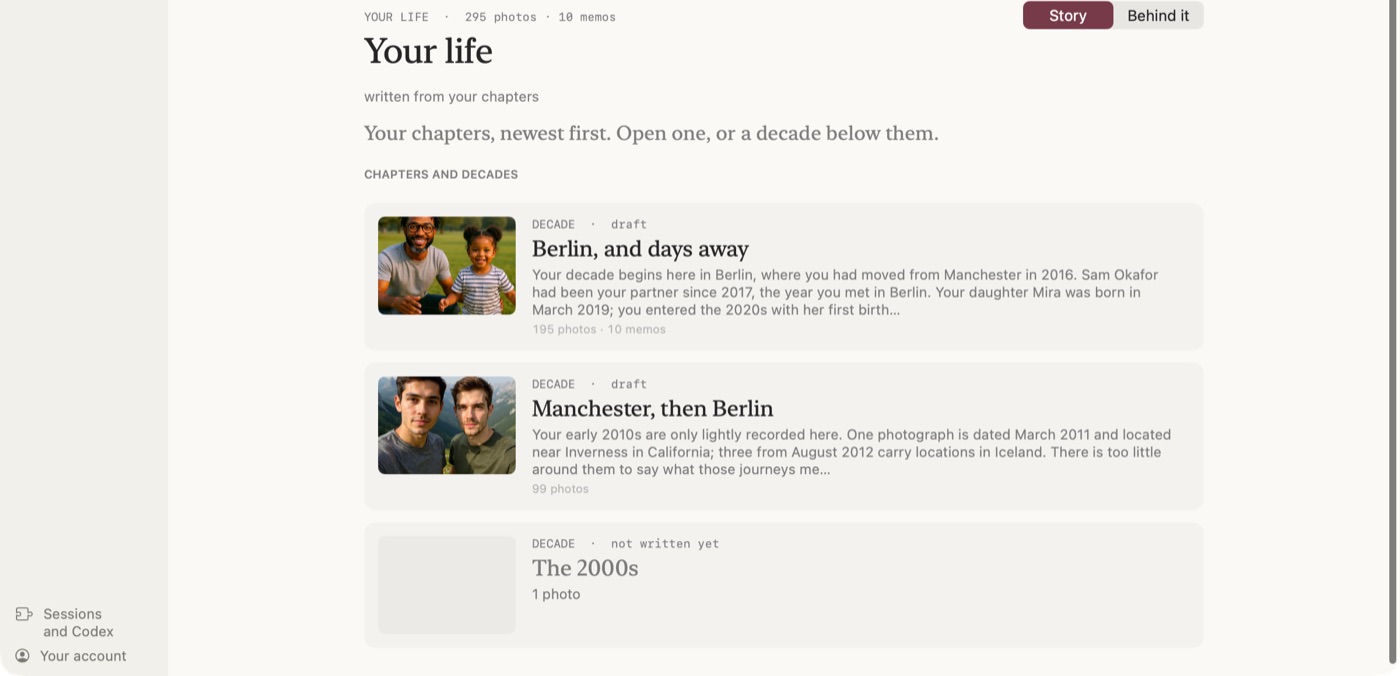
Remember This now puts your whole life on one screen, from the decades down to a single day, written from your photos and voice memos. Short films of your months, and On This Day and On This Minute at the top.
Your life is now one screen
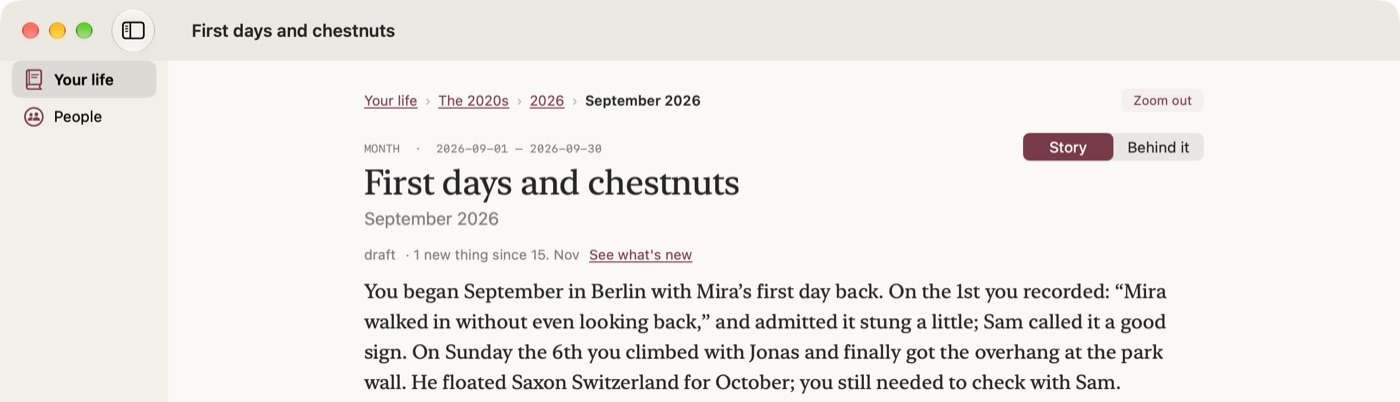
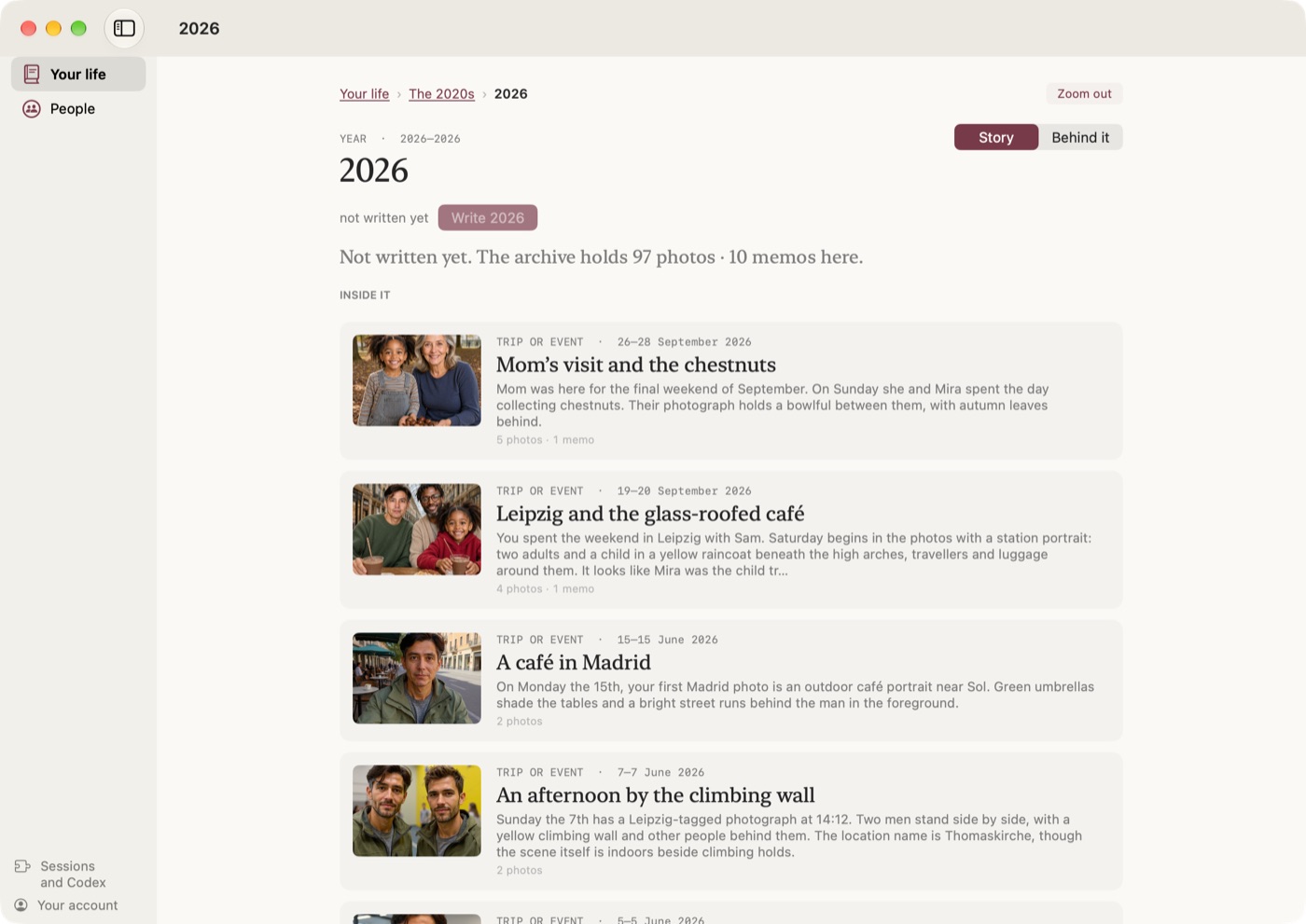
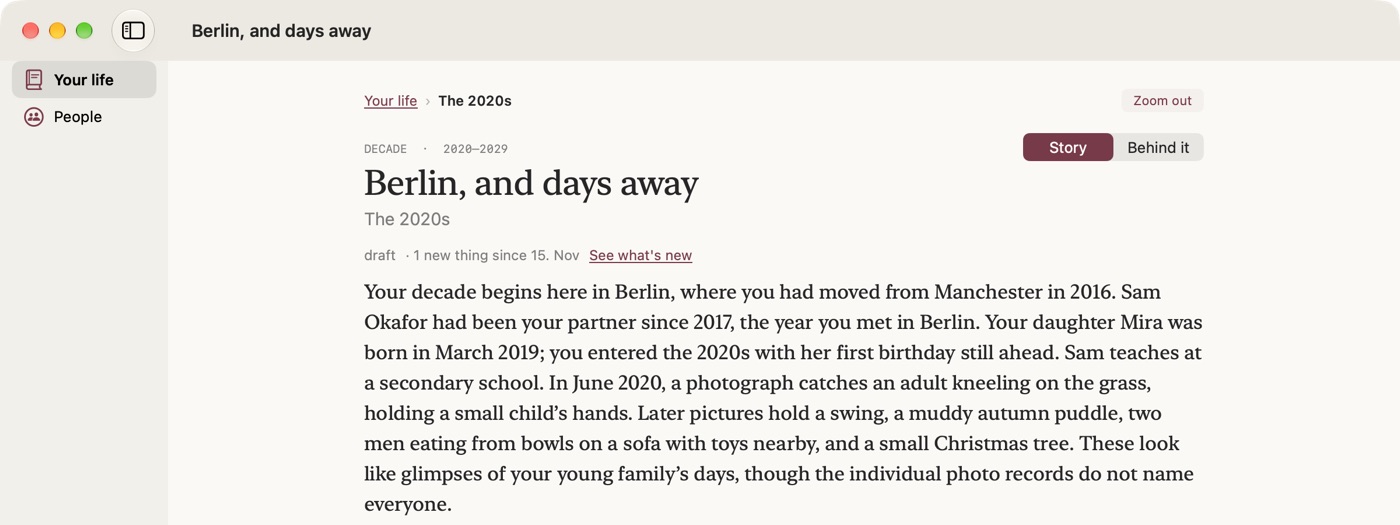
Remember This 0.15 is out for Mac and Windows. Your life is now one screen. It opens on this month, and you zoom out to the year, the decade and your whole life in its chapters, or in to the trips, weekends and single days inside a month. Each piece is a short story of that stretch, written from your photos and voice memos, with the photos where they belong in the text.
Why I wanted it
I've wanted this for many, many years. I don't keep a journal in an app. I just snap pictures of my day and record voice memos, and that's my journal, which makes quick capture easy, since you're not really capturing anything into an app. Then Remember This pulls it all together.
One screen, from decades to a day
The app used to have a page for months and a separate Life Book for the bigger picture. Now it's all Your life, and it works like zooming. A piece that hasn't been written yet says what your archive holds for it and has a Write button, and that works the same for a Saturday as for the 2010s.
On this day, and on this minute
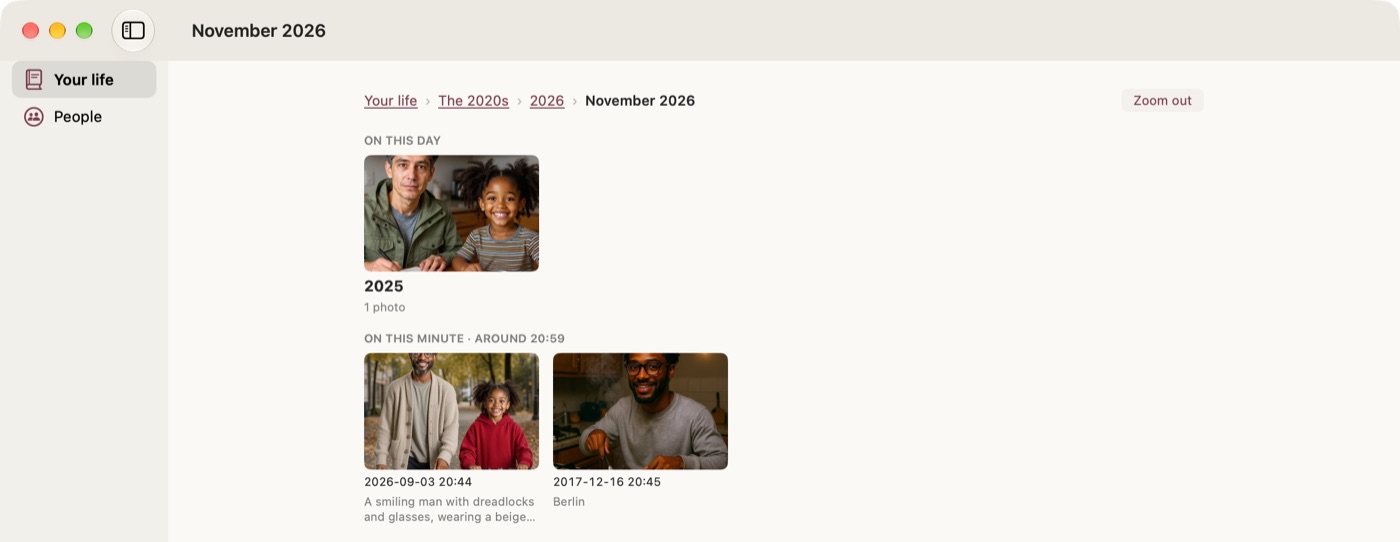
At the top of Your life there are two rows. On this day shows today's date in the years before. On this minute shows what you captured at around this time of day, on any day, one moment from each day, newest first. Tap one and you're on that day.
Films of your months
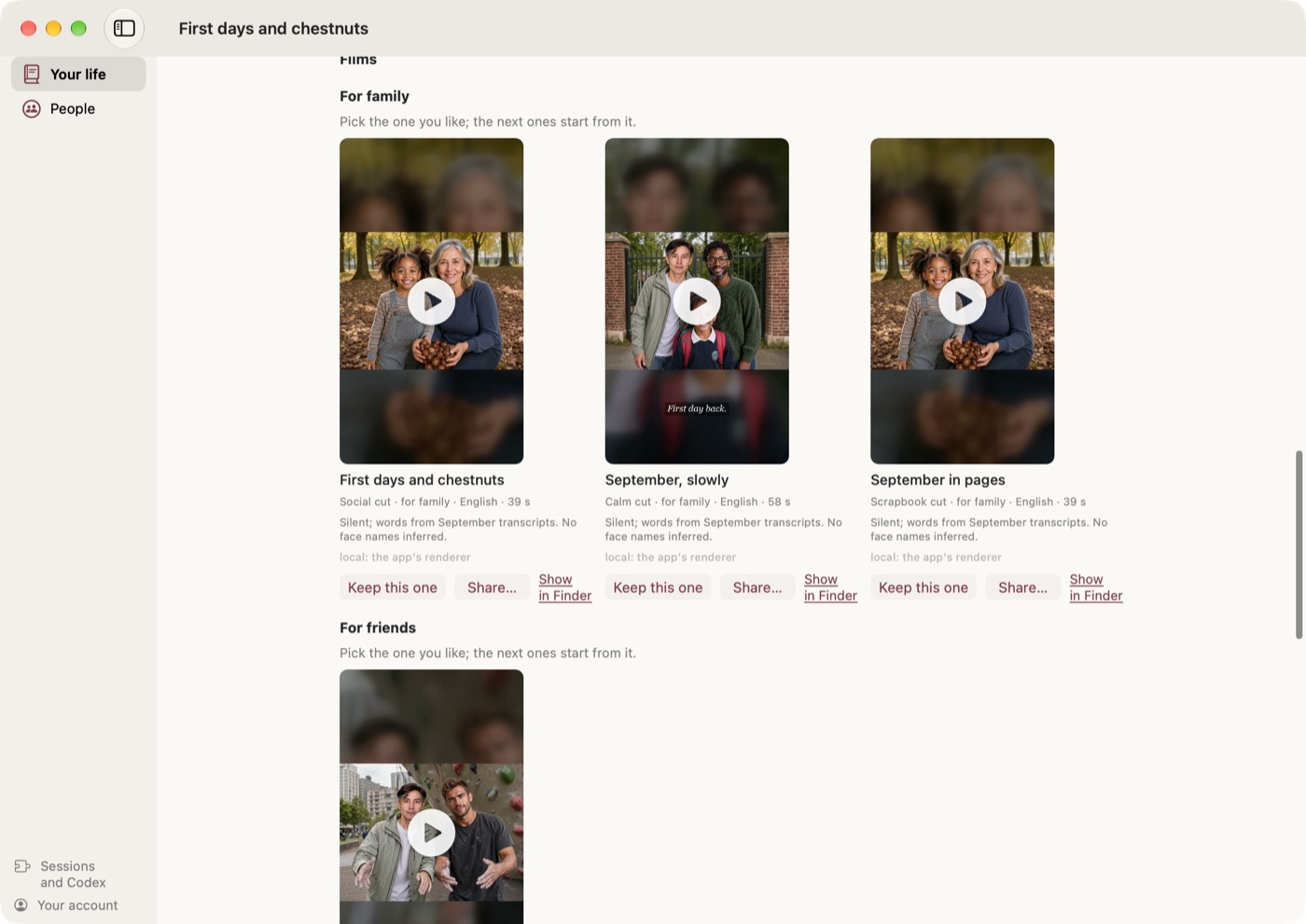
When a month has enough photos and clips in it, Remember This makes a few short films of it overnight, on your own computer, and of the trips inside it. You watch them on the month's page and keep the one you like. On a Mac every cut also goes into your Photos library, in an album called Remember This, so you can watch them on your phone like any other video, and once you keep one, the others are removed from Photos again.
What a page was made from
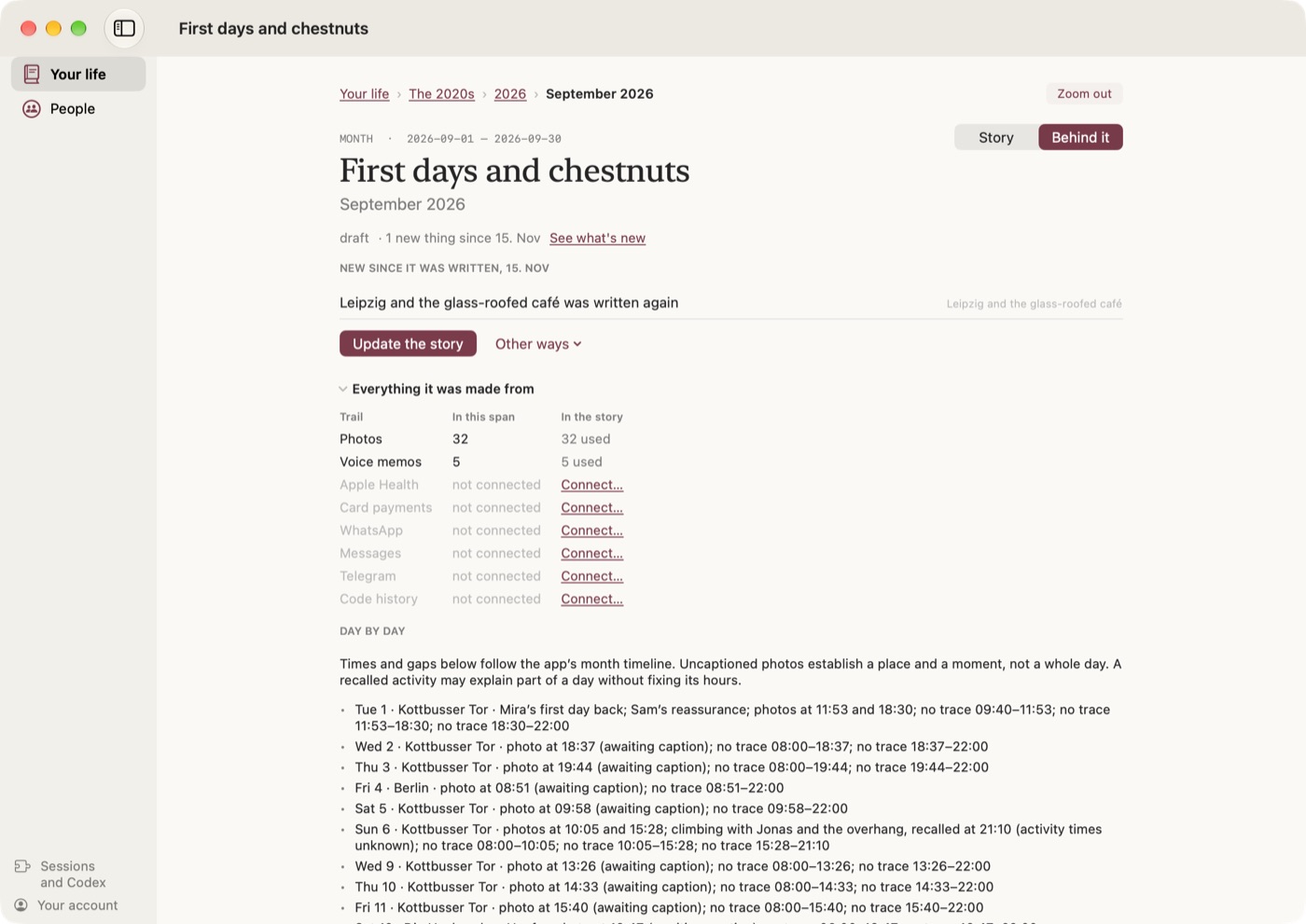
Every piece has a back side. Turn it over and you see what it was written from: how many photos, clips and voice memos there are for that stretch, which of them the story used, and the questions it still has for you, which you can answer right there. Your archive keeps growing after a page is written, so the back side also tells you what's new since. Update keeps your text and your edits and works the new things in, and Rewrite starts that part over.
On your iPhone, and on Windows
The iPhone app has Your life too (in TestFlight for now), with the photos and films from your own Photos library, and its Update and Write buttons send the work to your Mac. On Windows, Your life is written from the folders a PC keeps your life in: Pictures (where iCloud for Windows and OneDrive put your phone's photos) and Documents\Sound recordings. You choose which when you set it up.
Underneath
The sessions that run at night now stick to your life's story. They used to ask about bills, forms and things to follow up as well, which is what a to-do list is for, so that's gone. And if Remember This couldn't start its sessions on a Mac with macOS 26 or older, that's fixed in this version.
Getting it
If you have Remember This already, take the update when the app offers it. If not, it's at rememberthis.ai/download for Mac and Windows.